Source xda
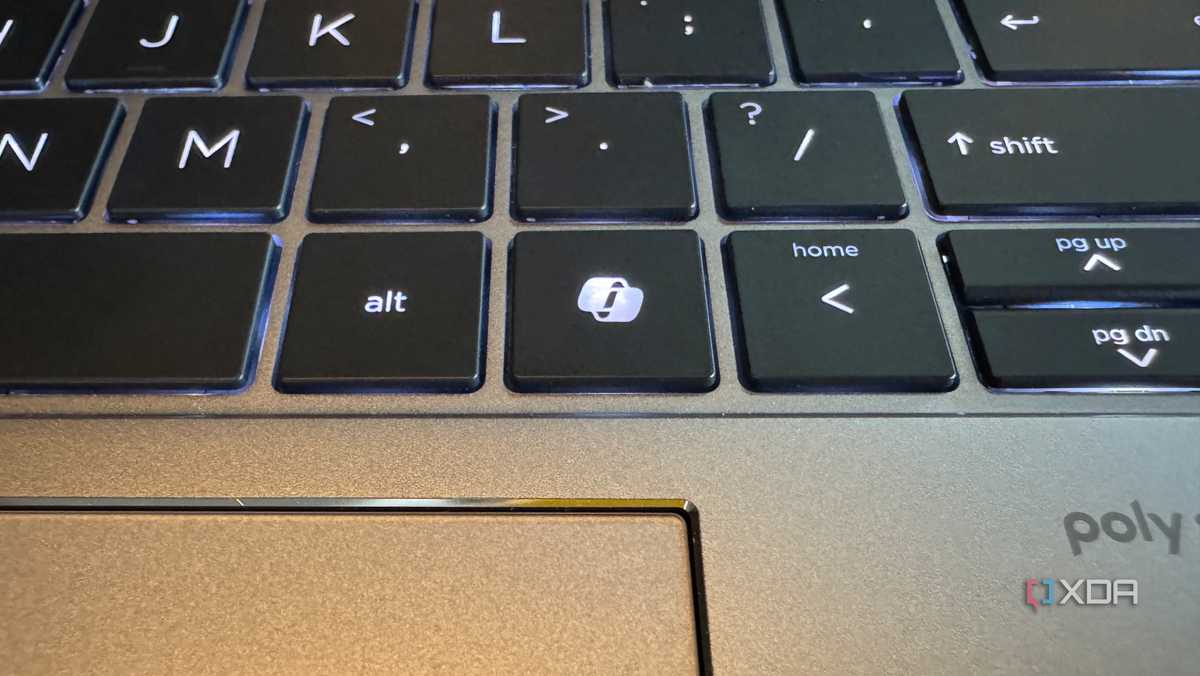
REDMOND, Washington — In a subtle yet significant shift from its aggressive artificial intelligence push, Microsoft has officially acknowledged that its dedicated hardware “Copilot key” has been disrupting user workflows. The tech giant confirmed that an upcoming Windows 11 update will finally allow users to reclaim their keyboards and remap the button back to its traditional functions.
The change was quietly revealed in a freshly published Microsoft support document. In it, the company admitted that replacing staple keys to make room for an AI assistant caused unexpected headaches for power users and individuals relying on accessibility tools.
“Customers who rely on the Right Ctrl key or Context menu key for keyboard shortcuts or assistive technologies (such as screen readers) experienced some challenges to their workflows when using these devices,” Microsoft stated in the documentation.
To resolve this, Microsoft announced that a Windows 11 update slated for release later this year will add an official toggle to restore the original functionality.
The AI Hangover Hits the Keyboard
Introduced in early 2024, the Copilot key represented the first major structural change to the standard Windows keyboard layout in nearly three decades. As Microsoft went “all-in” on generative AI, it pushed laptop manufacturers and original equipment manufacturers (OEMs) to include the dedicated hardware button on new Windows 11 devices.
However, to make space for the brand-new AI button, many laptop designs outright sacrificed either the Right Ctrl key or the Context Menu key (the button that acts as a right-click).
For casual users, the change went mostly unnoticed. But for professionals, programmers, and users with disabilities, it broke muscle memory and vital workflows:
One-handed shortcuts: Stripping away the Right Ctrl key made executing right-sided navigation commands (like navigating words or paragraphs with arrow keys) a clumsy, two-handed chore.
Accessibility barriers: Screen readers and other assistive software frequently rely on the Right Ctrl and Context Menu keys for core navigation.
How to Revert the Copilot Key
Once the update rolls out universally, users will no longer need to rely on third-party software or registry hacks to fix their layout. The native fix will live directly inside the Windows operating system.
Steps to Remap the Key (Post-Update):
Open Settings on your Windows 11 device.
Navigate to Bluetooth & devices.
Select Keyboard.
Click on the new customization option to rebind the Copilot key to either the Right Ctrl key or the Context Menu key.
While some laptop manufacturers previously offered proprietary software fixes to bypass the AI button, Microsoft’s incoming patch will apply universally across all Windows 11 devices, regardless of the brand.
A Broader Retreat from Forced AI
This keyboard reversal aligns with Microsoft’s broader strategic shift under its internal initiative code-named “Windows K2.”
Following a wave of user backlash in late 2025 regarding declining operating system performance and heavily forced AI integrations, the tech giant has spent early 2026 scaling back. The company recently paused several intrusive Copilot notifications and even stripped Copilot branding from legacy applications like Notepad.
While the physical Copilot key isn’t disappearing from store shelves just yet, Microsoft’s latest concession proves that even in the height of the AI boom, standard user utility and basic accessibility still win the day.